 Tidyo
Tidyo
Free up gigabytes without losing what matters
Tidyo shrinks heavy videos while keeping them sharp and finds duplicates, blurry shots and screenshots with on-device AI. You review everything before anything goes.
Free to download · In-app purchases · Everything runs on your iPhone
Everything you need to reclaim space
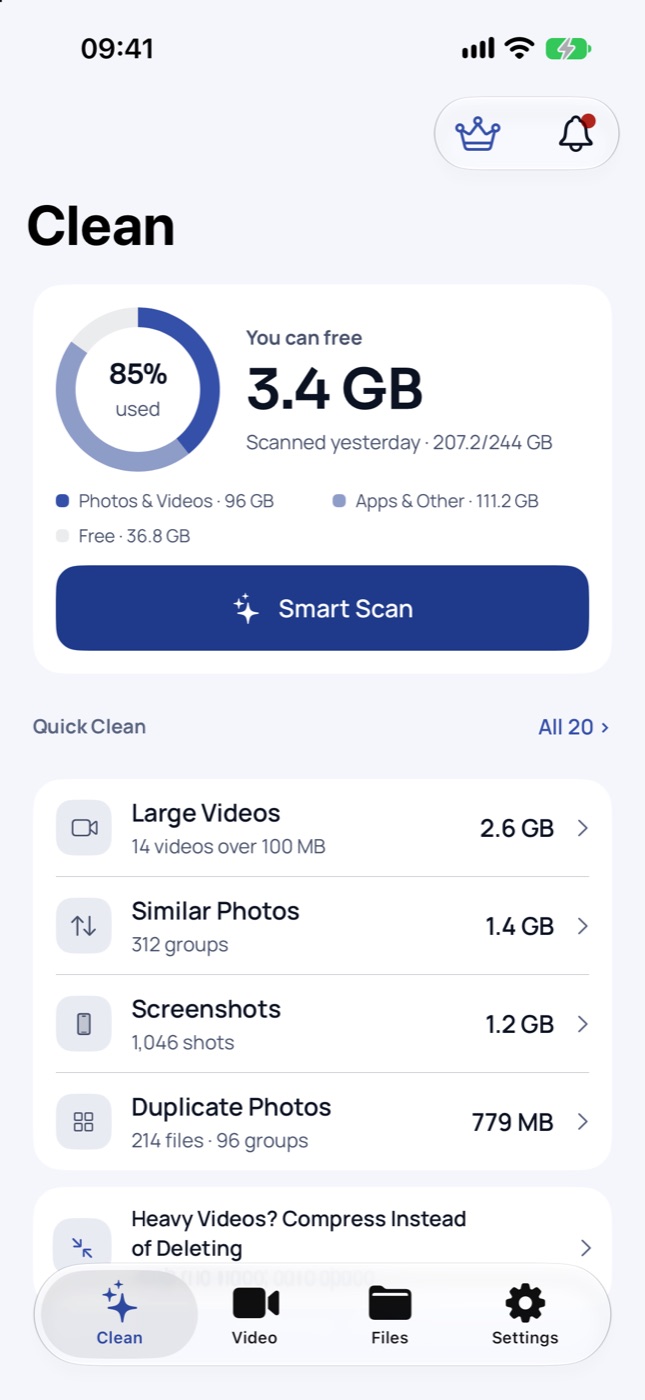
Smart Scan with on-device AI
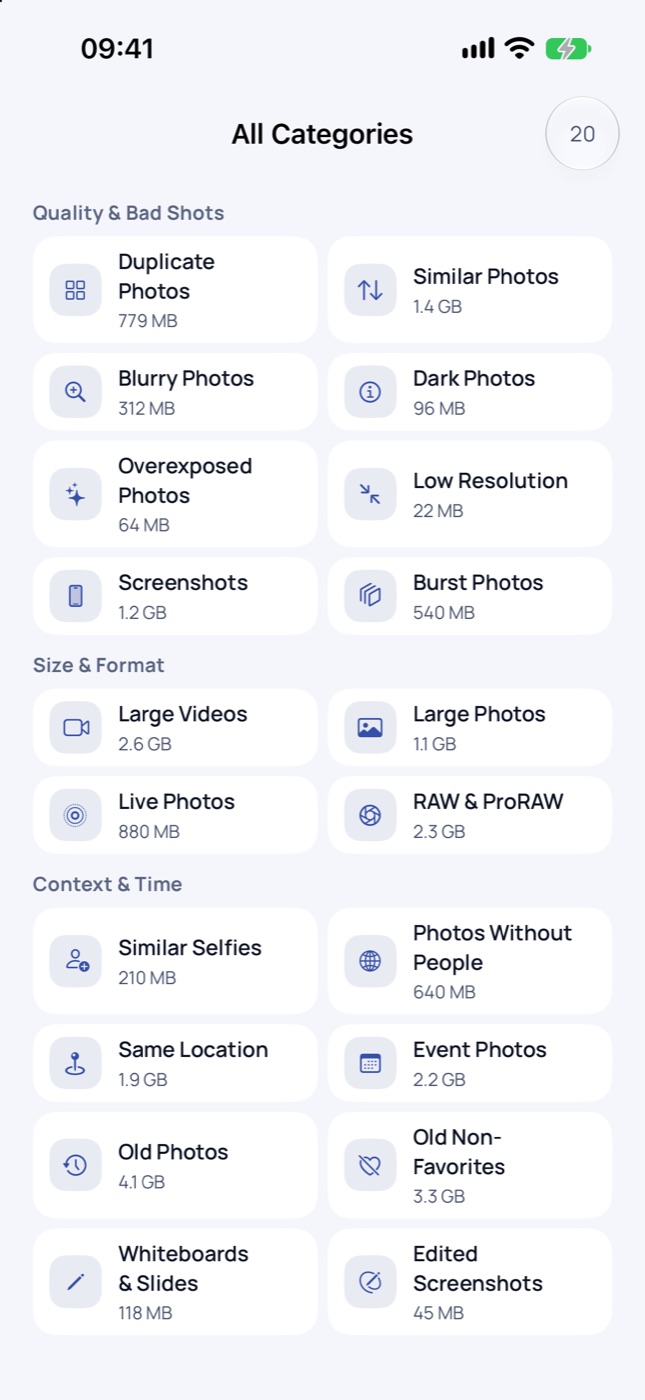
One scan sorts your library into 20 categories: duplicates, similar shots, blurry and dark photos, screenshots, large videos and more.
Keep the best shot
In every group of similar photos Tidyo suggests the sharpest one to keep. You always make the final call.
Reduce video size
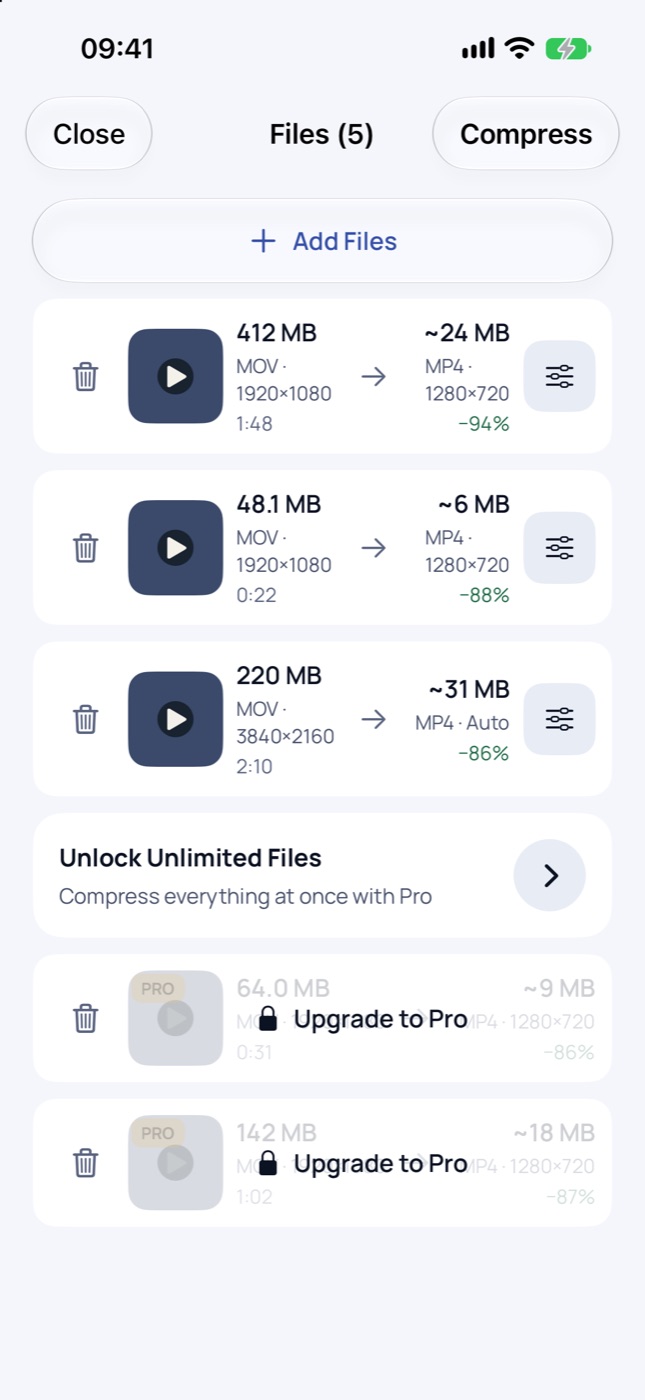
Batch-compress videos and photos. Choose quality, resolution and frame rate, keep 4K or 1080p, and preview before export.
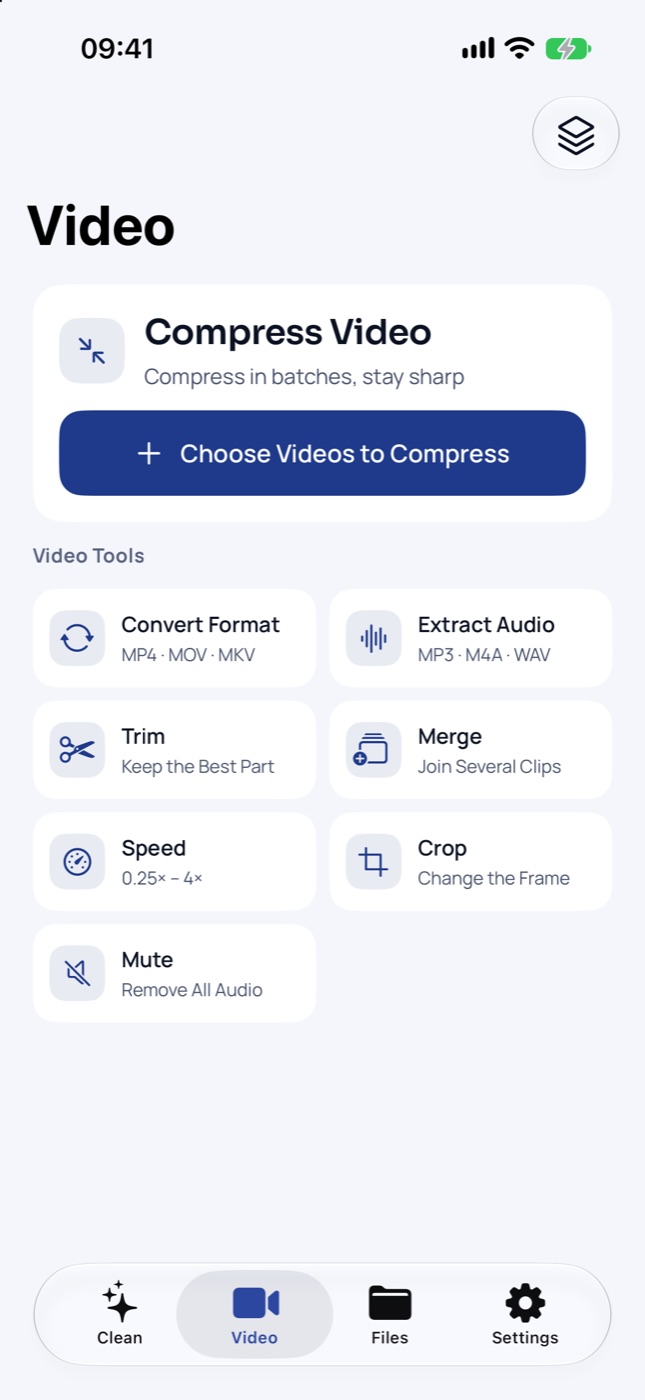
7 video tools
Convert MP4, MOV or MKV, extract audio, trim, merge, change speed from 0.25× to 4×, crop and mute.
Files and Wi-Fi transfer
Every compressed video lives in the Files tab. Drop files in from your computer's browser over Wi-Fi, no cable needed.
Weekly clean-up reminder
An optional Sunday-evening nudge so your phone never fills up again. Turn it off whenever you like.
Clean up in three steps
- 1
Scan or pick videos
Tap Smart Scan, or choose the videos you want to shrink.
- 2
Review the result
See the size before and after and which photos Tidyo suggests keeping.
- 3
Confirm
Save compressed copies or delete what you don't need. Deleted items stay in Recently Deleted for 30 days.
Private by design
All analysis and compression run on your iPhone. Your photos and videos are never uploaded to our servers, and nothing is deleted without your confirmation. Read the Privacy Policy
Free or Pro
Free
US$0
- 3 scans a day
- 3 files per compression batch
- 3 video-tool runs a day
- Watermark on merged videos, with ads
Tidyo Pro
From US$2.99/week
- Unlimited scans, compression and tools
- No ads
- Cloud services and Wi-Fi transfer
- Weekly, 6-month or one-time lifetime plan
Weekly and 6-month plans renew automatically until cancelled. Prices may vary by region. Terms of Use